

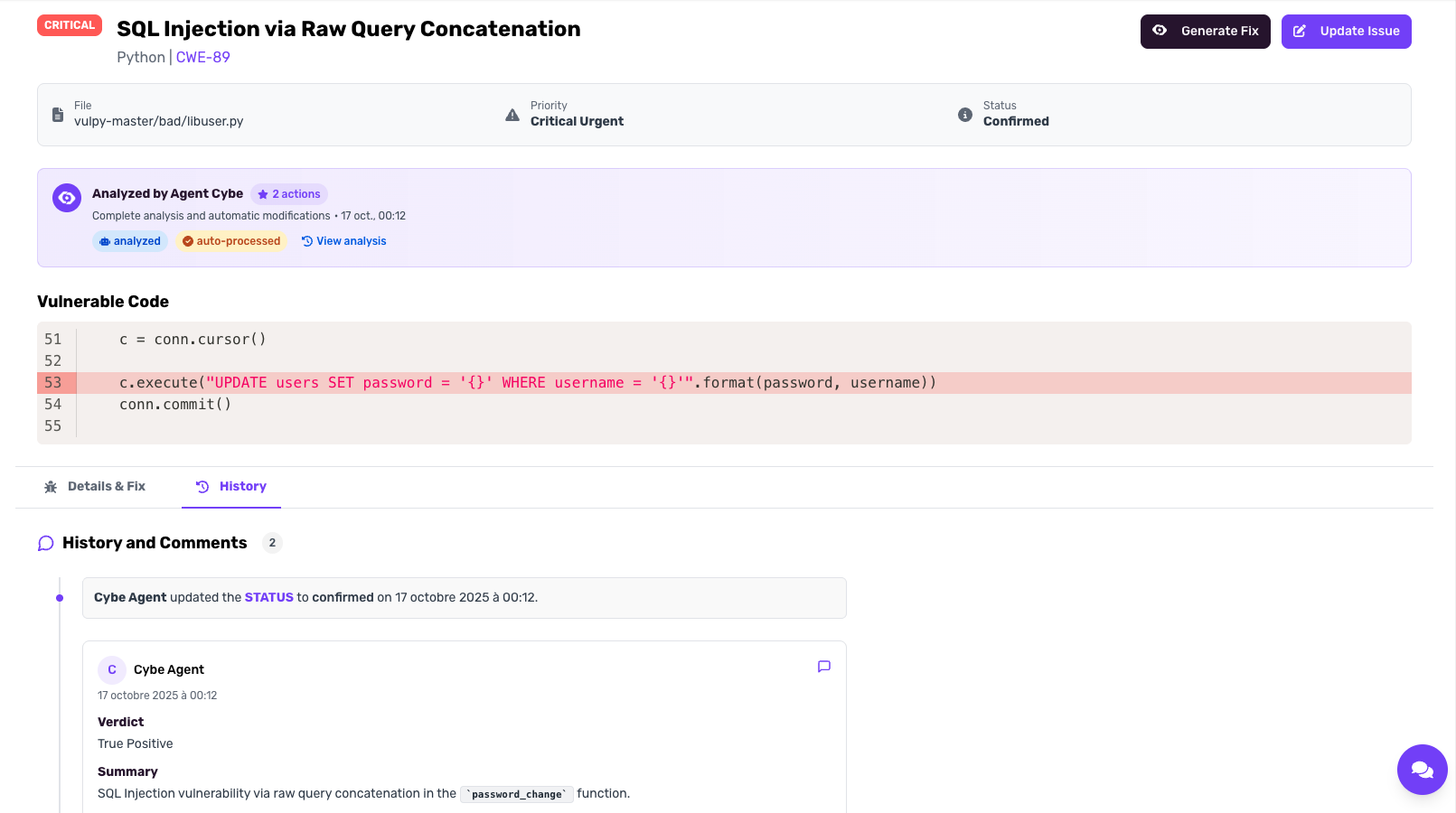
How Cybe Analysis Works
1. Code Parsing & Knowledge Graph
When you enable Cybe Analysis, CybeDefend parses your entire codebase into a proprietary knowledge graph. This graph captures:- Code structure and relationships
- Data flows between functions and files
- Dependencies and their usages
- Business logic patterns
2. AI Agent Analysis
Using custom tools built specifically to interact with the knowledge graph, the Cybe AI agent:- Analyzes detected vulnerabilities in full context
- Traces data flows to determine real exploitability
- Evaluates business impact based on code usage
- Provides expert-level assessments and recommendations
Configuration
Enable Cybe Analysis
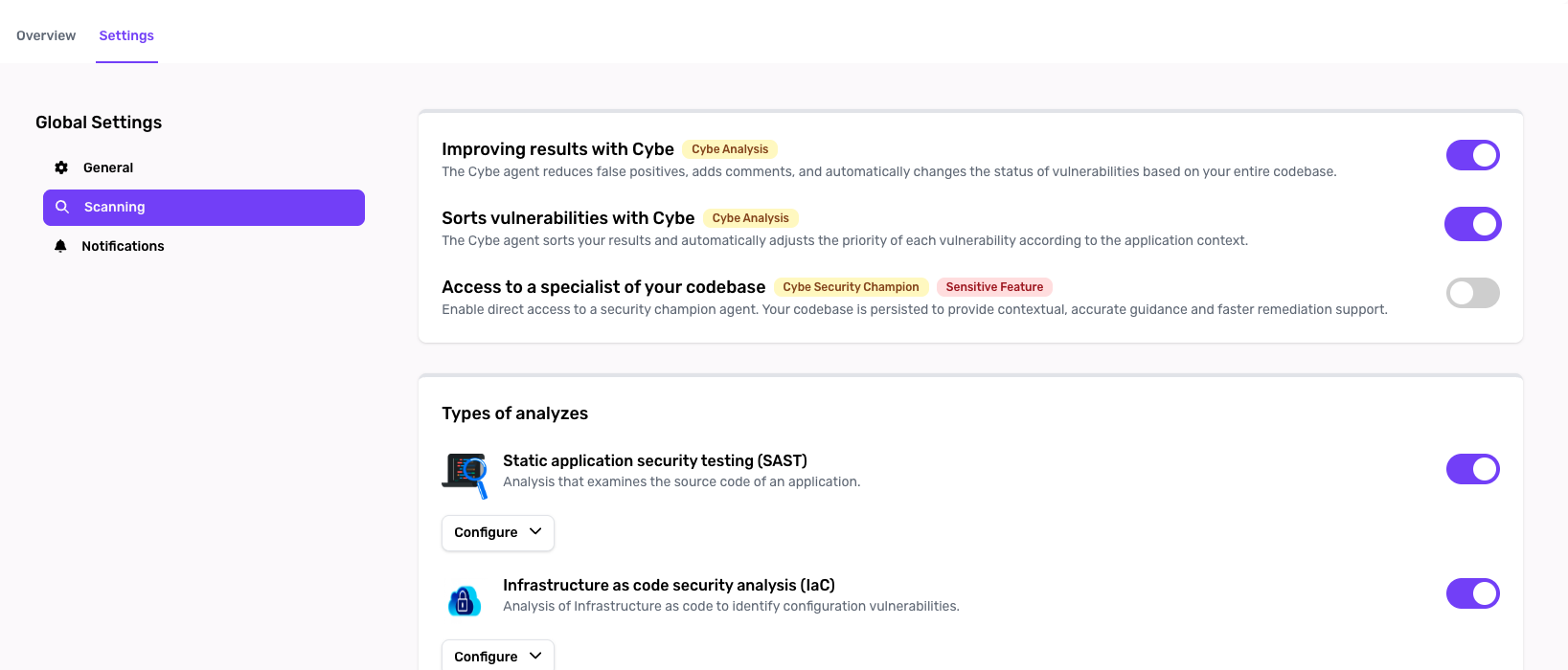
- Navigate to Project Settings
- Find the Cybe Analysis section
- Toggle Enable Cybe Analysis
- Save your settings
Select Vulnerability Groups
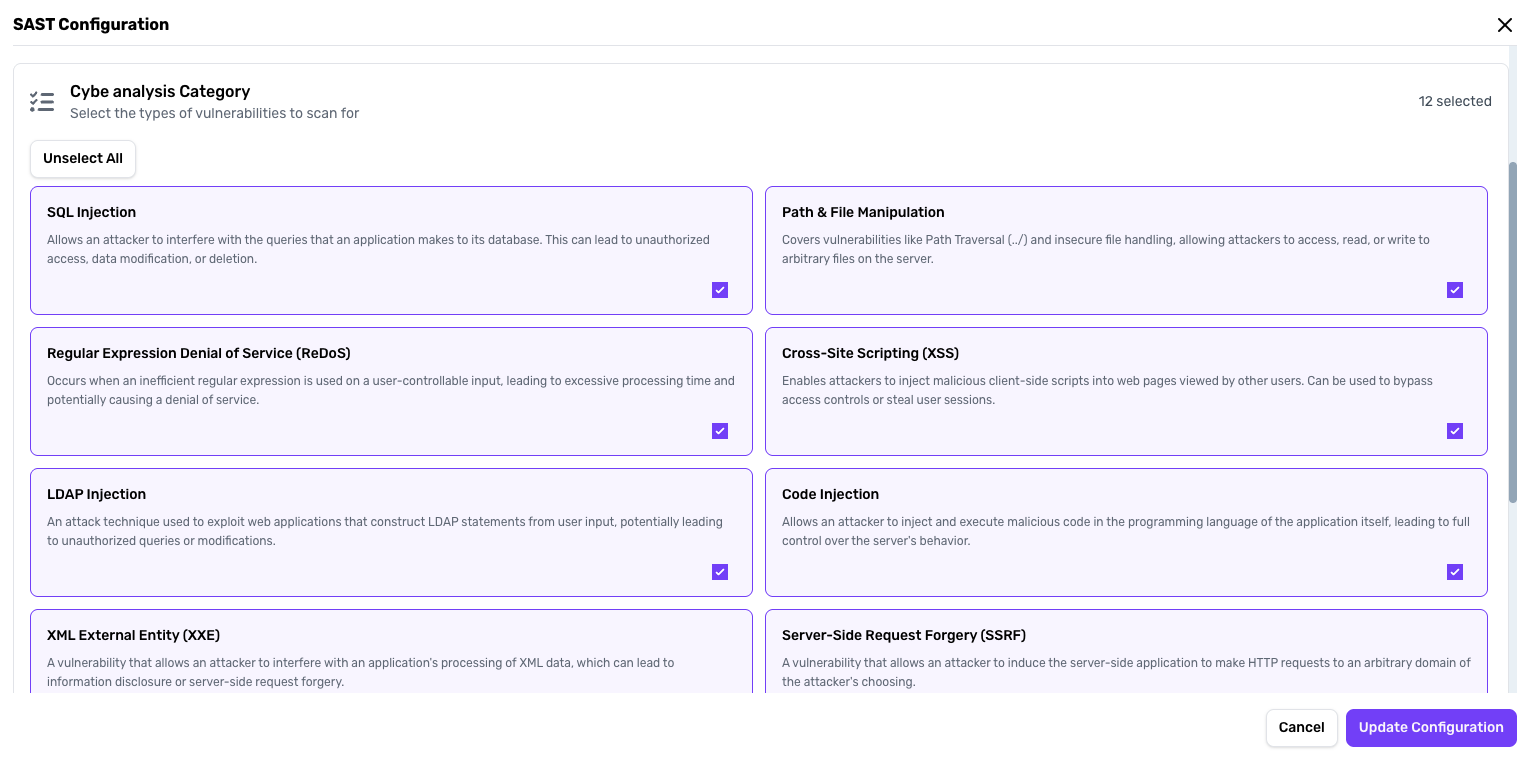
- SQL Injection
- LDAP Injection
- Cross-Site Scripting (XSS)
- Path Traversal
- Command Injection
- And more…
Using Cybe Analysis
Automatic Vulnerability Analysis
Once configured, Cybe Analysis automatically:- Scans selected vulnerability groups when a scan is triggered
- Analyzes each finding using the knowledge graph for context
- Adds detailed comments to vulnerabilities like a security expert would
- Updates vulnerability status (confirmed, false positive, etc.)
Priority Assignment
If vulnerability triage is enabled in settings:- Cybe Analysis assigns priority levels (Critical, High, Medium, Low)
- Prioritization considers:
- Exploitability in your specific context
- Data sensitivity
- Exposure to external inputs
- Business impact
Understanding the Results
Vulnerability Comments
Each analyzed vulnerability receives a comment from Cybe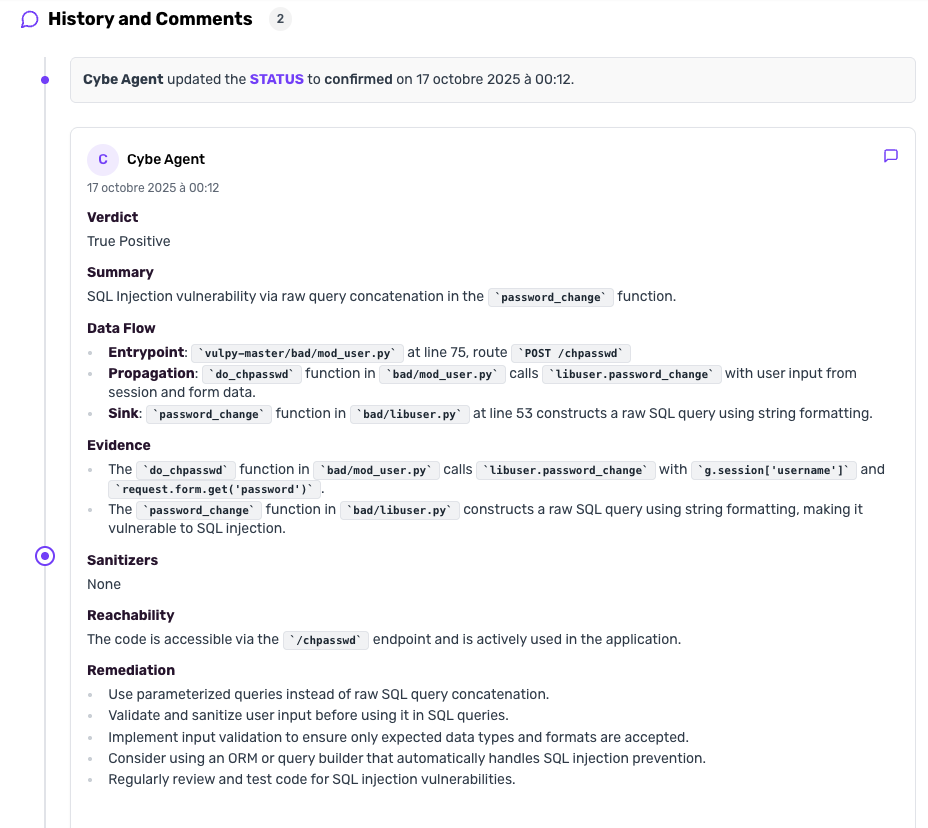
Requirements
- Project must be created in CybeDefend
- Code parsing must be enabled (automatic when Cybe Analysis is enabled)
- SAST scanner must be enabled for the project
- Sufficient Cybe Analysis credits in your subscription
Related: Cybe AutoFix · Cybe Security Champion · AI Usage Tracking