

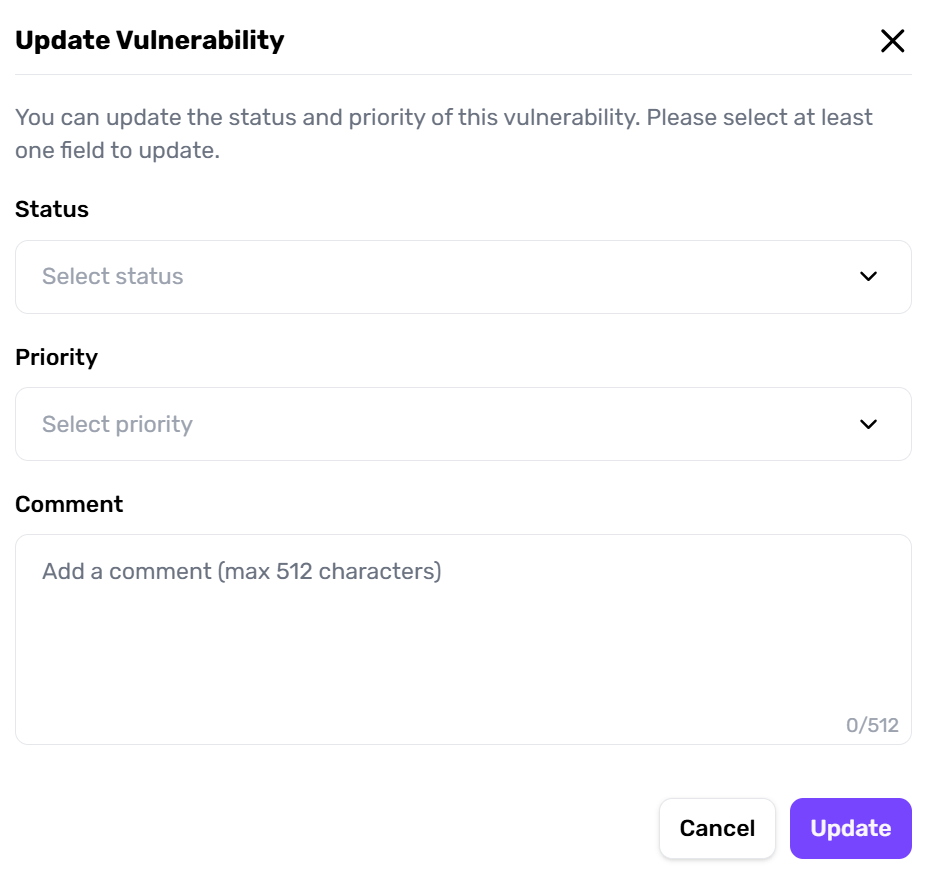
Steps to Update
- Open the Vulnerability
In the project’s vulnerability list, click a specific item to reveal the Update Popup. - Edit Fields
- Status: Switch from To Verify → Confirmed.
- Priority: Assign internal priority tags (e.g., critical, low).
- Comment: Record progress, decisions made, or references to external tickets.
- Confirm & Save
Changes are immediately visible to all team members, helping them see updated statuses without additional overhead.
Dismissing a finding requires a justification
Setting a finding to Ignored — in the dashboard, through the API, or through the Cybe MCP tool — now requires a written reason. A dismissal without one is refused.dismissalReason, so a bulk action stays audited rather than becoming a way around the requirement.
The justification is recorded against the finding and surfaces as
dismissal_reason in the Findings Export. Automated triage is held to the same standard — when Cybe Agent dismisses a finding, it records its own reason and is attributed as agent.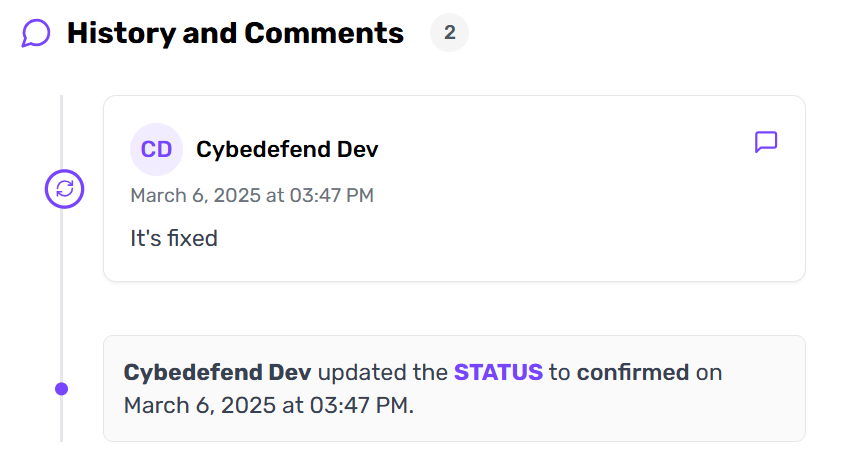
Use the comment field for quick, contextual notes. This eliminates the need for separate emails or Slack threads where details can get lost.
Consistent Management Across Scanners
A critical SAST finding about SQL injection can be handled the same way as a high-severity IAC misconfiguration in Terraform. This uniform approach:- Reduces Confusion: No separate tools or flows for each scanner.
- Speeds Remediation: Everyone uses the same interface, no matter the vulnerability source.