> ## Documentation Index
> Fetch the complete documentation index at: https://docs.cybedefend.com/llms.txt
> Use this file to discover all available pages before exploring further.
# AI Usage & Entitlements
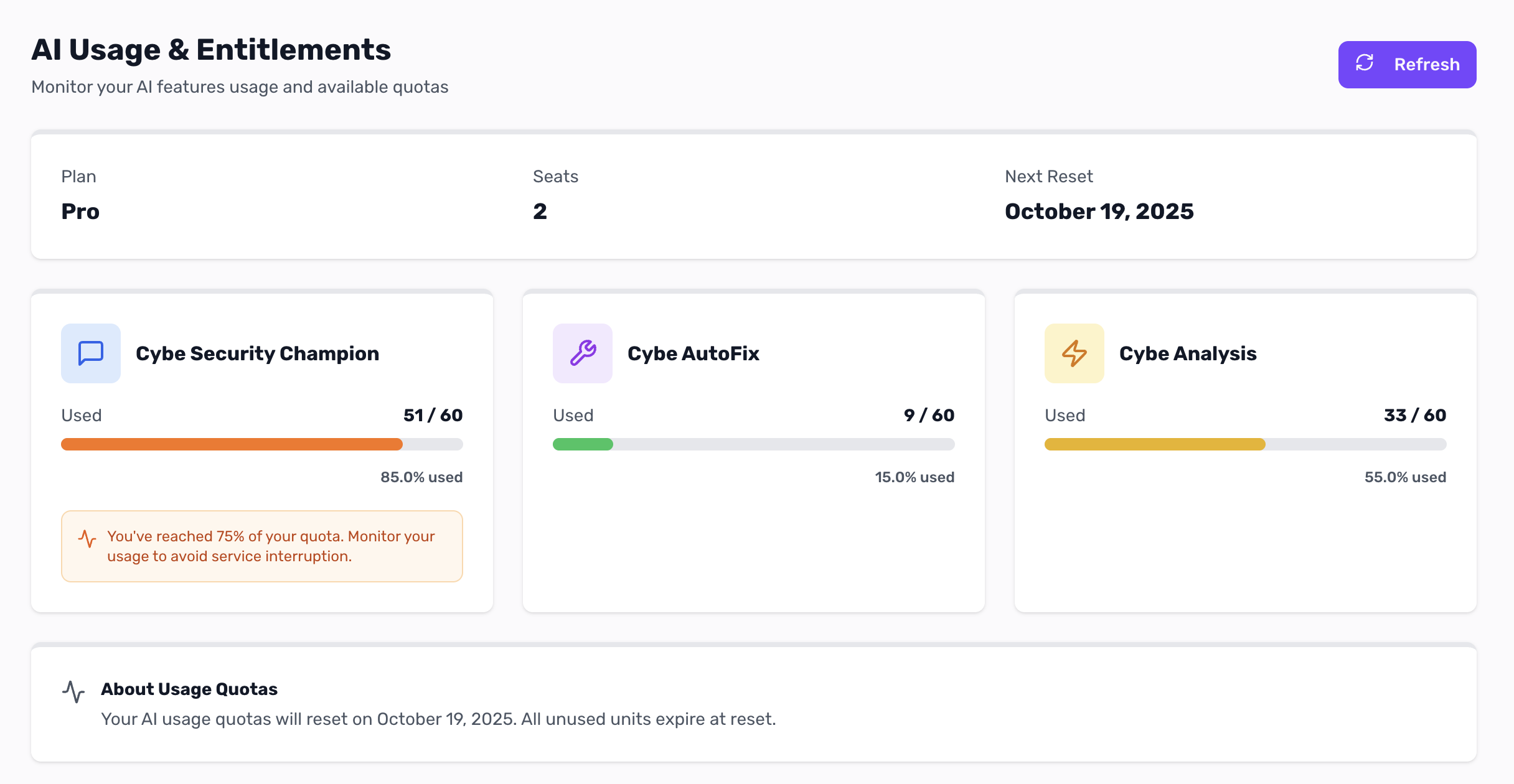
> Monitor your Cybe AI features usage and track available quotas.
Track your organization's consumption of Cybe AI features in real-time.
 ***
## How Credits Work
### Organization-Level Pooling
Credits are shared across your entire organization:
* **No per-user limits** — credits pool at organization level
* **Flexible distribution** — one developer can use more than another
* **Total matters** — only total organization consumption counts
**Example** — 2 seats × 60 credits = 120 total credits:
* Developer A: 80 credits used
* Developer B: 20 credits used
* **Total**: 100/120 credits (20 remaining)
***
## Reset & Expiration
* **Quotas reset** on your billing cycle date
* **Unused credits expire** at each reset
* **Add-ons expire** at the end of monthly billing periods
***
## Need More Credits?
Purchase add-on packs at [Manage Billing](/latest/plateform-overview/plan-&-pricing/manage-billing-subscription) when approaching quota limits.
***
## How Credits Work
### Organization-Level Pooling
Credits are shared across your entire organization:
* **No per-user limits** — credits pool at organization level
* **Flexible distribution** — one developer can use more than another
* **Total matters** — only total organization consumption counts
**Example** — 2 seats × 60 credits = 120 total credits:
* Developer A: 80 credits used
* Developer B: 20 credits used
* **Total**: 100/120 credits (20 remaining)
***
## Reset & Expiration
* **Quotas reset** on your billing cycle date
* **Unused credits expire** at each reset
* **Add-ons expire** at the end of monthly billing periods
***
## Need More Credits?
Purchase add-on packs at [Manage Billing](/latest/plateform-overview/plan-&-pricing/manage-billing-subscription) when approaching quota limits.