> ## Documentation Index
> Fetch the complete documentation index at: https://docs.cybedefend.com/llms.txt
> Use this file to discover all available pages before exploring further.
# Updating Vulnerabilities
> Easily change vulnerability status, priority, and add comments to coordinate fixes.
CybeDefend streamlines remediation by letting you **update each vulnerability** (found by SAST, IAC, or SCA) directly from the dashboard. Whether you’re marking it as “In Progress” or adding a priority label, you can keep the entire team aligned.
 ## Steps to Update
1. **Open the Vulnerability**\
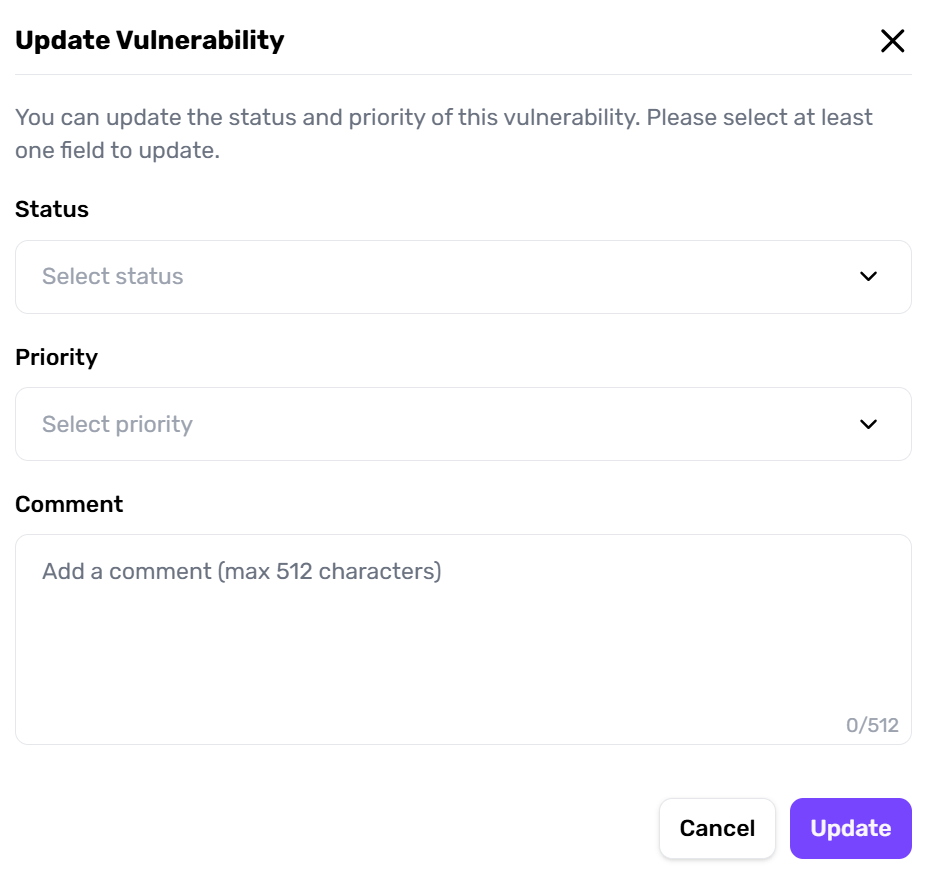
In the project’s vulnerability list, click a specific item to reveal the **Update Popup**.
2. **Edit Fields**
* **Status**: Switch from To Verify → Confirmed.
* **Priority**: Assign internal priority tags (e.g., critical, low).
* **Comment**: Record progress, decisions made, or references to external tickets.
3. **Confirm & Save**\
Changes are immediately visible to all team members, helping them see updated statuses without additional overhead.
## Steps to Update
1. **Open the Vulnerability**\
In the project’s vulnerability list, click a specific item to reveal the **Update Popup**.
2. **Edit Fields**
* **Status**: Switch from To Verify → Confirmed.
* **Priority**: Assign internal priority tags (e.g., critical, low).
* **Comment**: Record progress, decisions made, or references to external tickets.
3. **Confirm & Save**\
Changes are immediately visible to all team members, helping them see updated statuses without additional overhead.
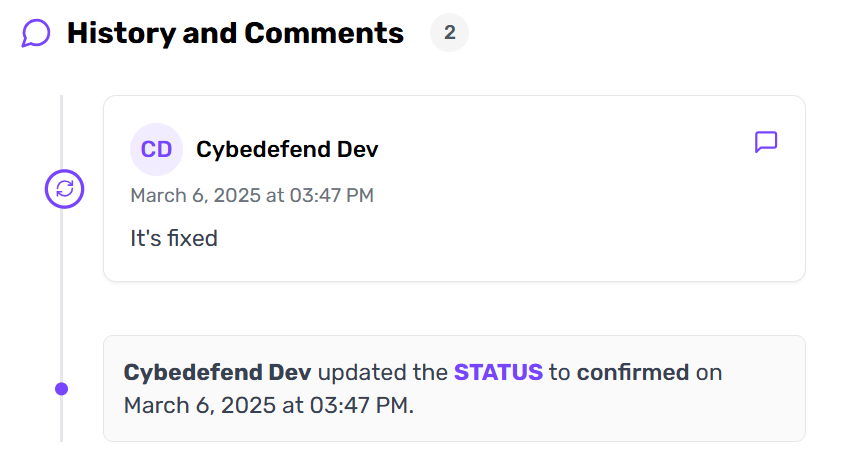 Use the comment field for quick, contextual notes. This eliminates the need for separate emails or Slack threads where details can get lost.
***
## Consistent Management Across Scanners
A critical SAST finding about SQL injection can be handled the same way as a high-severity IAC misconfiguration in Terraform. This uniform approach:
* **Reduces Confusion**: No separate tools or flows for each scanner.
* **Speeds Remediation**: Everyone uses the same interface, no matter the vulnerability source.
Consider adopting weekly triage sessions where you review newly detected vulnerabilities and update them as a team.
Use the comment field for quick, contextual notes. This eliminates the need for separate emails or Slack threads where details can get lost.
***
## Consistent Management Across Scanners
A critical SAST finding about SQL injection can be handled the same way as a high-severity IAC misconfiguration in Terraform. This uniform approach:
* **Reduces Confusion**: No separate tools or flows for each scanner.
* **Speeds Remediation**: Everyone uses the same interface, no matter the vulnerability source.
Consider adopting weekly triage sessions where you review newly detected vulnerabilities and update them as a team.