> ## Documentation Index
> Fetch the complete documentation index at: https://docs.cybedefend.com/llms.txt
> Use this file to discover all available pages before exploring further.
# Assigning Roles in Organizations and Teams
> Learn about the different roles available in CybeDefend organizations and teams, and how to manage user permissions.
CybeDefend provides **distinct roles** for Organizations and Teams, each granting specific permissions. Update roles from Organization or Team settings to ensure everyone has appropriate access levels.
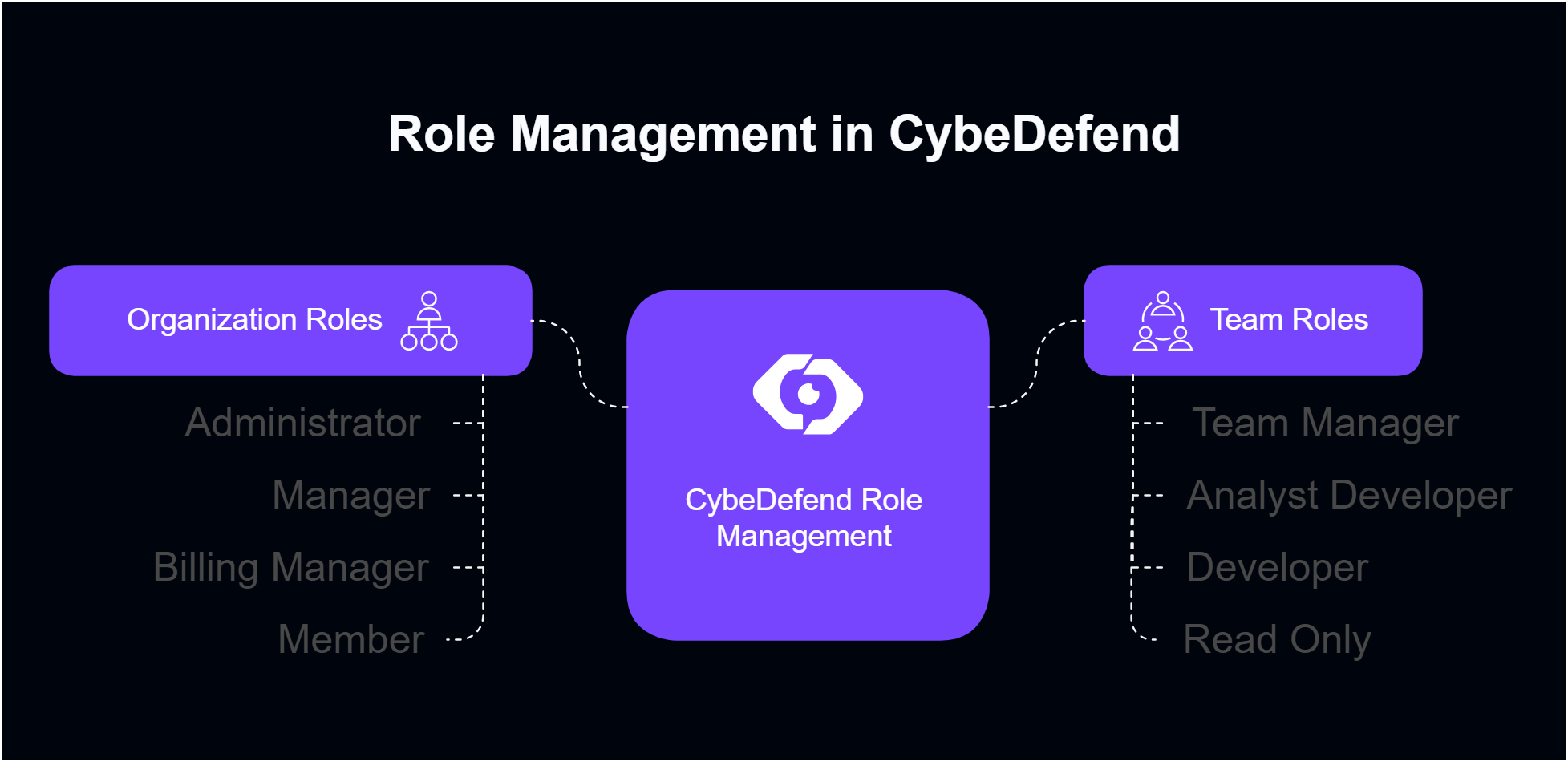 Each Organization has at least one Administrator/Creator, and each Team has at least one Team Manager.
***
## Organization Roles
| **Role** | **Description** | **Key Permissions** |
| ------------------- | -------------------------------------------------------------------------- | ------------------------------------------------------------------------------------------------------------------------------------------------------------------- |
| **Administrator** | Top-level authority. Cannot modify their own role or another Admin’s role. |
Each Organization has at least one Administrator/Creator, and each Team has at least one Team Manager.
***
## Organization Roles
| **Role** | **Description** | **Key Permissions** |
| ------------------- | -------------------------------------------------------------------------- | ------------------------------------------------------------------------------------------------------------------------------------------------------------------- |
| **Administrator** | Top-level authority. Cannot modify their own role or another Admin’s role. | - Manage organization settings
- Add/remove users
- Update user roles
- Create/delete teams
- Read logs
- Full access
|
| **Manager** | High-level authority but slightly less than Administrator. | - Manage integrations
- Add/remove users
- Create teams
- Read logs
|
| **Billing Manager** | Focuses on financial or billing aspects within the organization. | - Access billing settings
- Read organization info
|
| **Member** | Standard member with basic read and limited write rights. | - Read organization information
- Use assigned tools
|
***
## Team Roles
| **Role** | **Description** | **Key Permissions** |
| --------------------- | ---------------------------------------------------------------------------- | ---------------------------------------------------------------------------------------------------------------------------------------------------------- |
| **Team Manager** | Leads the team. Cannot modify their own role or another Team Manager’s role. | - Manage team settings
- Create/remove users
- Update user roles
- Create projects
- Read logs
- Start scans
|
| **Analyst Developer** | Focuses on analyzing scan results and possibly contributing code fixes. | - Read and create reports
- Change vulnerability states
- Start scans
- Full read on scan results
|
| **Developer** | Primarily involved in writing code. | - Read scan results
- Change vulnerability states
- Start scans
|
| **Read Only** | Has read access to projects, teams, and scan outcomes but no editing rights. | - View team details
- View project scan results (where granted by org/team)
|
All roles inherit the Organization’s overarching permissions, but these team roles define additional capabilities within each team.
***
## Managing Organization Member Roles
1. **Open Organization Settings → Manage**\
Scroll to the user list and click **Manage** next to a user’s name.
2. **Choose New Role**\
Pick from Administrator, Manager, Billing Manager, or Member.
3. **Save Changes**\
The user’s permissions update instantly.
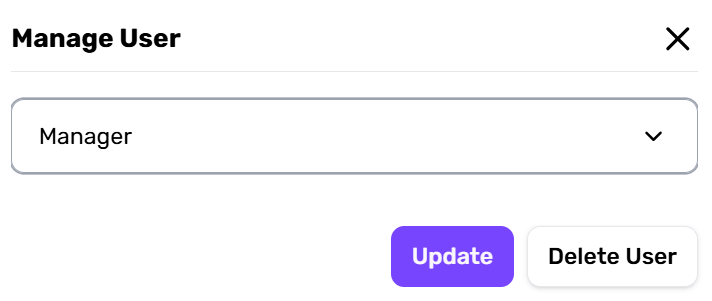 Must keep at least one Administrator. Admins cannot downgrade themselves or each other.
***
## Managing Team Member Roles
1. **Organization Settings → Teams → Manage**\
Select a team, find the user, and click **Manage** next to their name.
2. **Assign Role**\
Pick Team Manager, Analyst Developer, Developer, or Read Only.
3. **Confirm**\
The user’s capabilities in that team adjust immediately.
Each team must have at least one Team Manager. Team Managers cannot modify their own or each other’s roles.
***
## Future Role Customization
Some organizations may require specialized roles. If your use case isn’t covered:
* Visit our [Roadmap](https://cybedefend.featurebase.app/roadmap) for upcoming role expansions.
* Send feedback to our dev team—if enough customers share a need, we may add a new role.
We strive to balance simplicity and flexibility when expanding role definitions.
Must keep at least one Administrator. Admins cannot downgrade themselves or each other.
***
## Managing Team Member Roles
1. **Organization Settings → Teams → Manage**\
Select a team, find the user, and click **Manage** next to their name.
2. **Assign Role**\
Pick Team Manager, Analyst Developer, Developer, or Read Only.
3. **Confirm**\
The user’s capabilities in that team adjust immediately.
Each team must have at least one Team Manager. Team Managers cannot modify their own or each other’s roles.
***
## Future Role Customization
Some organizations may require specialized roles. If your use case isn’t covered:
* Visit our [Roadmap](https://cybedefend.featurebase.app/roadmap) for upcoming role expansions.
* Send feedback to our dev team—if enough customers share a need, we may add a new role.
We strive to balance simplicity and flexibility when expanding role definitions.