> ## Documentation Index
> Fetch the complete documentation index at: https://docs.cybedefend.com/llms.txt
> Use this file to discover all available pages before exploring further.
# Cybe Analysis
> How to configure and use Cybe Analysis for intelligent vulnerability detection and false positive reduction.
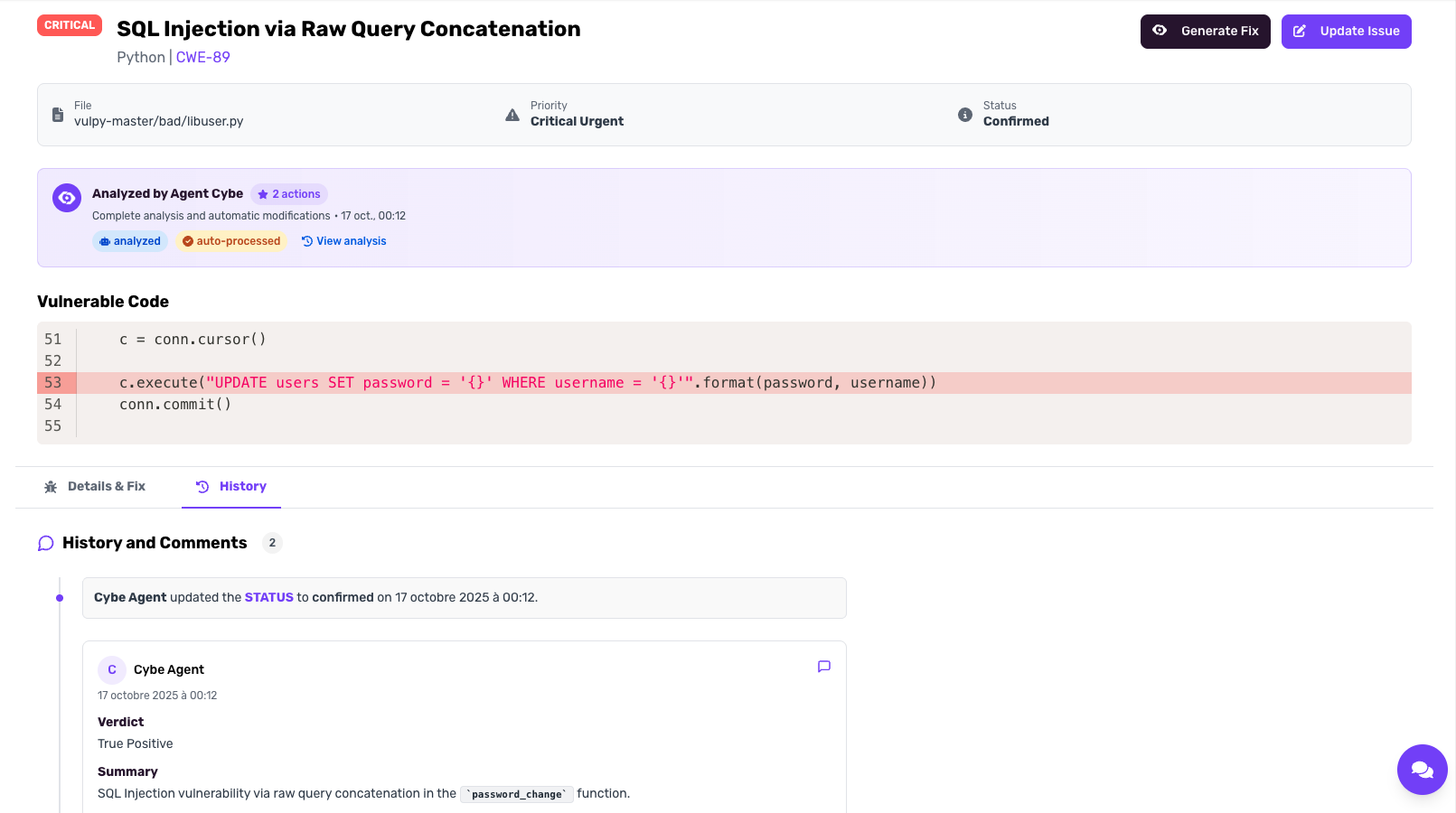
Cybe Analysis is CybeDefend's autonomous AI agent that analyzes vulnerabilities with senior-level expertise, eliminates false positives, and provides deep contextual security insights.
 ***
## How Cybe Analysis Works
### 1. Code Parsing & Knowledge Graph
When you enable Cybe Analysis, CybeDefend parses your entire codebase into a proprietary **knowledge graph**. This graph captures:
* Code structure and relationships
* Data flows between functions and files
* Dependencies and their usages
* Business logic patterns
This knowledge graph becomes the foundation for all AI-powered analysis.
### 2. AI Agent Analysis
Using custom tools built specifically to interact with the knowledge graph, the Cybe AI agent:
* Analyzes detected vulnerabilities in full context
* Traces data flows to determine real exploitability
* Evaluates business impact based on code usage
* Provides expert-level assessments and recommendations
***
## Configuration
### Enable Cybe Analysis
***
## How Cybe Analysis Works
### 1. Code Parsing & Knowledge Graph
When you enable Cybe Analysis, CybeDefend parses your entire codebase into a proprietary **knowledge graph**. This graph captures:
* Code structure and relationships
* Data flows between functions and files
* Dependencies and their usages
* Business logic patterns
This knowledge graph becomes the foundation for all AI-powered analysis.
### 2. AI Agent Analysis
Using custom tools built specifically to interact with the knowledge graph, the Cybe AI agent:
* Analyzes detected vulnerabilities in full context
* Traces data flows to determine real exploitability
* Evaluates business impact based on code usage
* Provides expert-level assessments and recommendations
***
## Configuration
### Enable Cybe Analysis
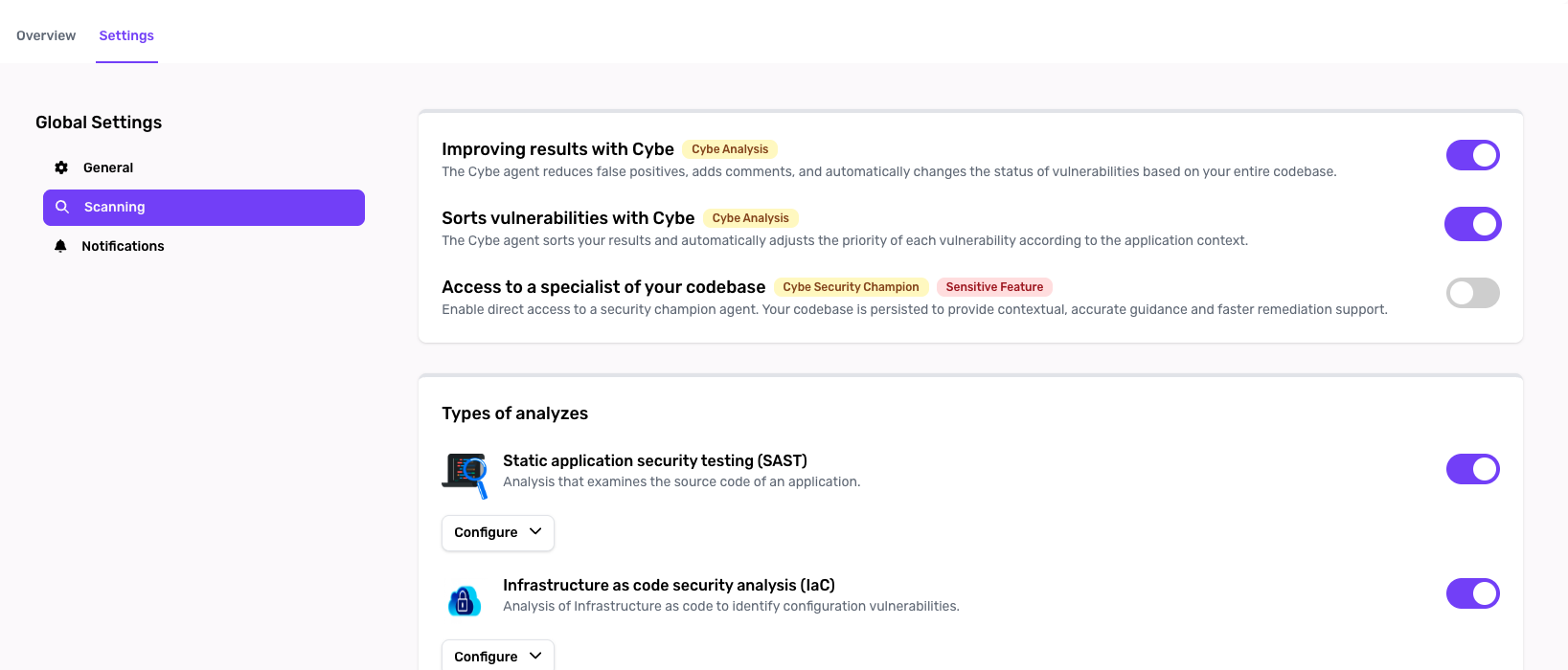 1. Navigate to **Project Settings**
2. Find the **Cybe Analysis** section
3. Toggle **Enable Cybe Analysis**
4. Save your settings
Enabling Cybe Analysis requires code parsing, which stores your code in your selected sovereign cloud (EU or US) to ensure zero hallucinations and optimal performance.
### Select Vulnerability Groups
1. Navigate to **Project Settings**
2. Find the **Cybe Analysis** section
3. Toggle **Enable Cybe Analysis**
4. Save your settings
Enabling Cybe Analysis requires code parsing, which stores your code in your selected sovereign cloud (EU or US) to ensure zero hallucinations and optimal performance.
### Select Vulnerability Groups
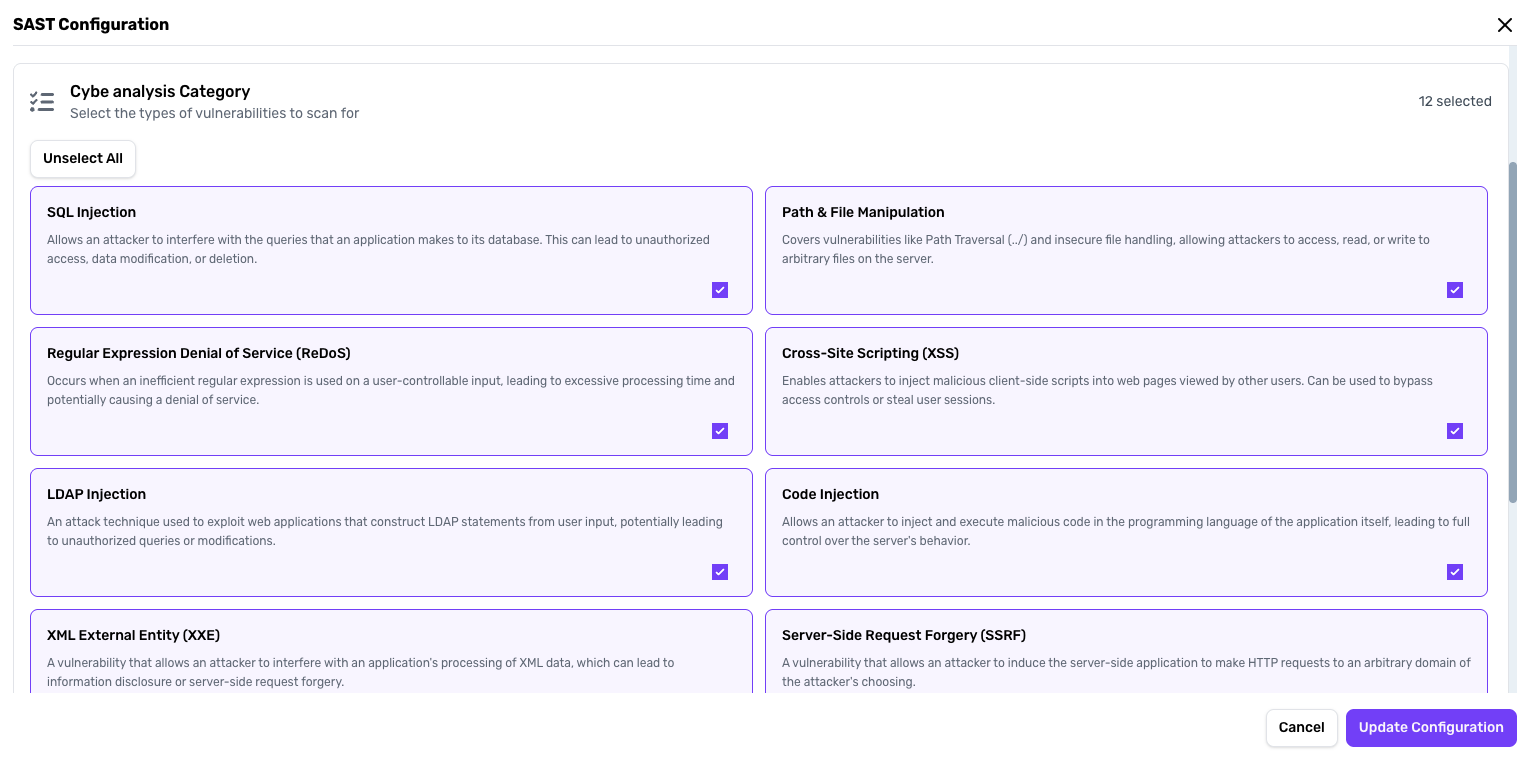 For **SAST scanning**, you can select specific vulnerability groups to analyze:
* SQL Injection
* LDAP Injection
* Cross-Site Scripting (XSS)
* Path Traversal
* Command Injection
* And more...
**Why selective scanning?** This allows you to focus on vulnerabilities relevant to your application and optimize analysis time.
***
## Using Cybe Analysis
### Automatic Vulnerability Analysis
Once configured, Cybe Analysis automatically:
1. **Scans selected vulnerability groups** when a scan is triggered
2. **Analyzes each finding** using the knowledge graph for context
3. **Adds detailed comments** to vulnerabilities like a security expert would
4. **Updates vulnerability status** (confirmed, false positive, etc.)
### Priority Assignment
If **vulnerability triage** is enabled in settings:
* Cybe Analysis assigns **priority levels** (Critical, High, Medium, Low)
* Prioritization considers:
* Exploitability in your specific context
* Data sensitivity
* Exposure to external inputs
* Business impact
***
## Understanding the Results
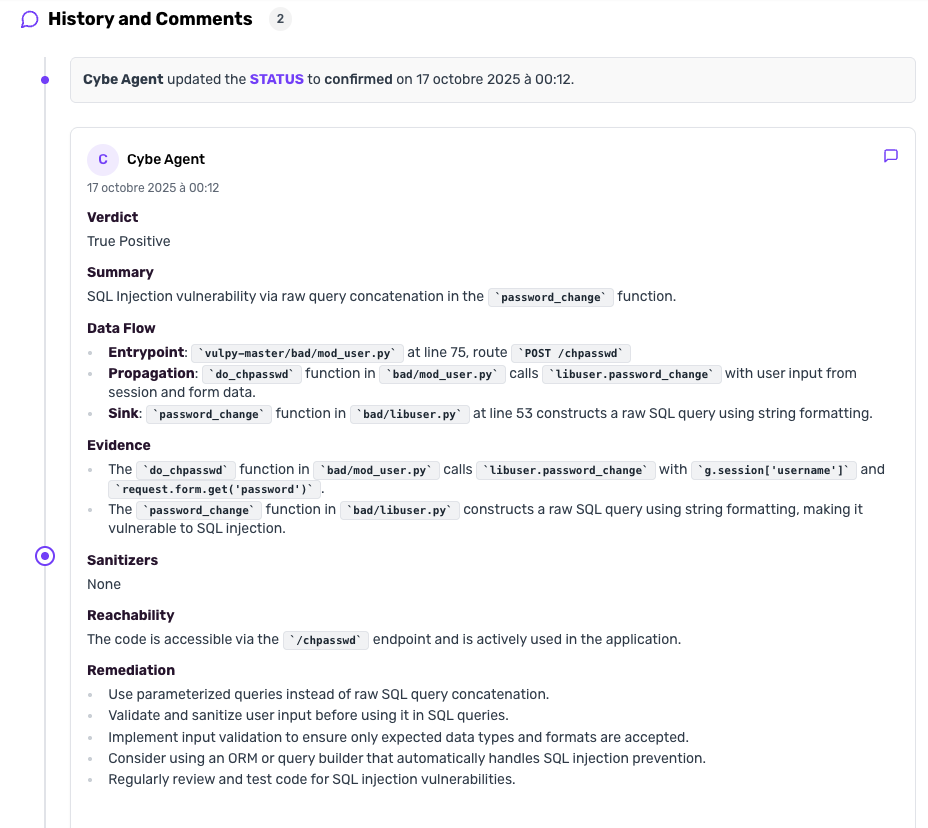
### Vulnerability Comments
Each analyzed vulnerability receives a comment from Cybe
For **SAST scanning**, you can select specific vulnerability groups to analyze:
* SQL Injection
* LDAP Injection
* Cross-Site Scripting (XSS)
* Path Traversal
* Command Injection
* And more...
**Why selective scanning?** This allows you to focus on vulnerabilities relevant to your application and optimize analysis time.
***
## Using Cybe Analysis
### Automatic Vulnerability Analysis
Once configured, Cybe Analysis automatically:
1. **Scans selected vulnerability groups** when a scan is triggered
2. **Analyzes each finding** using the knowledge graph for context
3. **Adds detailed comments** to vulnerabilities like a security expert would
4. **Updates vulnerability status** (confirmed, false positive, etc.)
### Priority Assignment
If **vulnerability triage** is enabled in settings:
* Cybe Analysis assigns **priority levels** (Critical, High, Medium, Low)
* Prioritization considers:
* Exploitability in your specific context
* Data sensitivity
* Exposure to external inputs
* Business impact
***
## Understanding the Results
### Vulnerability Comments
Each analyzed vulnerability receives a comment from Cybe
 ***
## Requirements
* Project must be created in CybeDefend
* Code parsing must be enabled (automatic when Cybe Analysis is enabled)
* SAST scanner must be enabled for the project
* Sufficient Cybe Analysis credits in your subscription
***
**Related:** [Cybe AutoFix](/latest/agent-ai-integration/cybe-autofix-detail) · [Cybe Security Champion](/latest/agent-ai-integration/cybe-security-champion-detail) · [AI Usage Tracking](/latest/plateform-overview/plan-&-pricing/ai-usage-tracking)
***
## Requirements
* Project must be created in CybeDefend
* Code parsing must be enabled (automatic when Cybe Analysis is enabled)
* SAST scanner must be enabled for the project
* Sufficient Cybe Analysis credits in your subscription
***
**Related:** [Cybe AutoFix](/latest/agent-ai-integration/cybe-autofix-detail) · [Cybe Security Champion](/latest/agent-ai-integration/cybe-security-champion-detail) · [AI Usage Tracking](/latest/plateform-overview/plan-&-pricing/ai-usage-tracking)